
Online course · Unreal Engine 4/5 Blueprints for Architecture & Virtual Scenarios
Turn static archviz scenes into interactive experiences — doors, lights, material swaps, menus and camera modes — No code needed!
Beginner → intermediate · no programming needed
- 129 lessons
- 21.5 h of video
- 12 modules
- 30+ interactions
Original audio in Portuguese, an AI-dubbed English audio track, and English and Spanish subtitles.
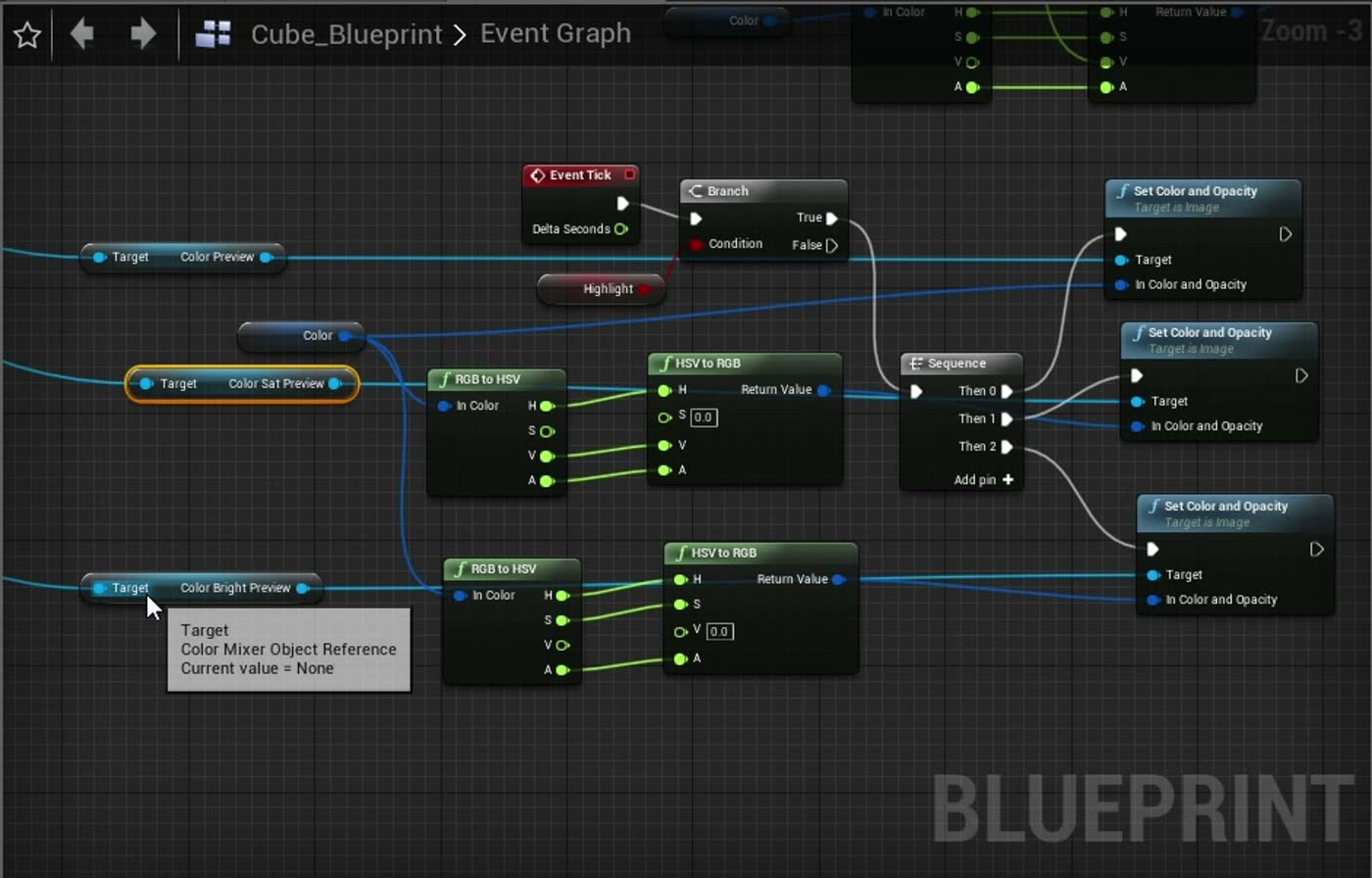
01 · The course
Interactive archviz with Blueprints
Unreal Engine 4/5 Blueprints for Architecture & Virtual Scenarios is an online course that teaches Blueprints, Unreal Engine's visual scripting system, to turn architectural visualizations into interactive experiences. You connect nodes instead of writing C++ and build doors, lights, material swaps, menus and camera modes step by step.
1 · Learn the language
The editor, variables, arrays, flow control, functions and Blueprint communication: the base every interaction uses.
2 · Build real systems
Timelines, vectors, materials and UI widgets become doors, light dimmers, a time-of-day control and an elevator.
3 · Ship an interactive project
Put it all together in a complete archviz walkthrough with menus, level streaming, a minimap, camera modes and save/load.
02 · Audience
Who it is for
Built for people who make spaces look real — and now want people to walk through them.
Architects and archviz artists
You already render in Unreal Engine. Now let clients walk through, open doors and switch finishes in real time.
Real-time 3D artists
Product visualization, configurators, virtual production, training and digital twins: the same Blueprints drive them all.
Students and beginner developers
No programming background needed. We start from the editor and build up, node by node.
Studios and freelancers
Add interactive tours, configurators and menus to your services — and charge for them.
Where it applies
- Architectural visualization
- Product configurators
- Virtual production
- Training & digital twins
- Games
03 · Projects
What you will build
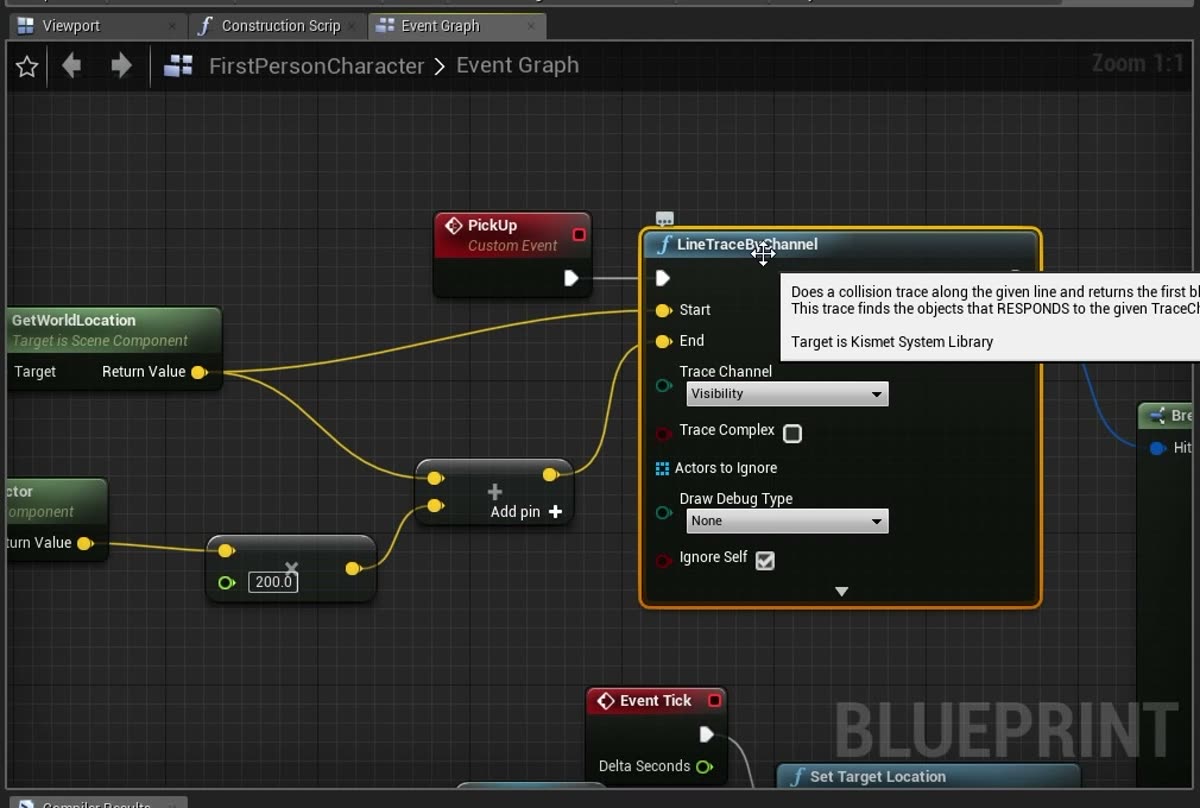
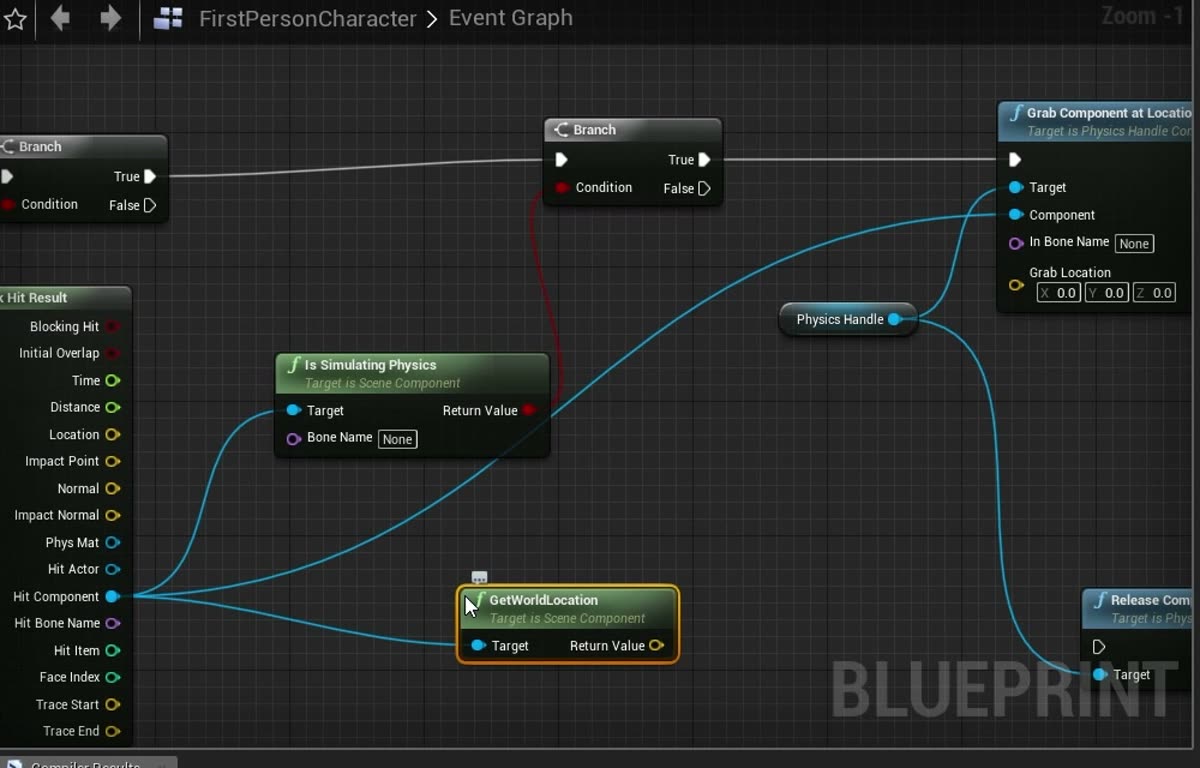
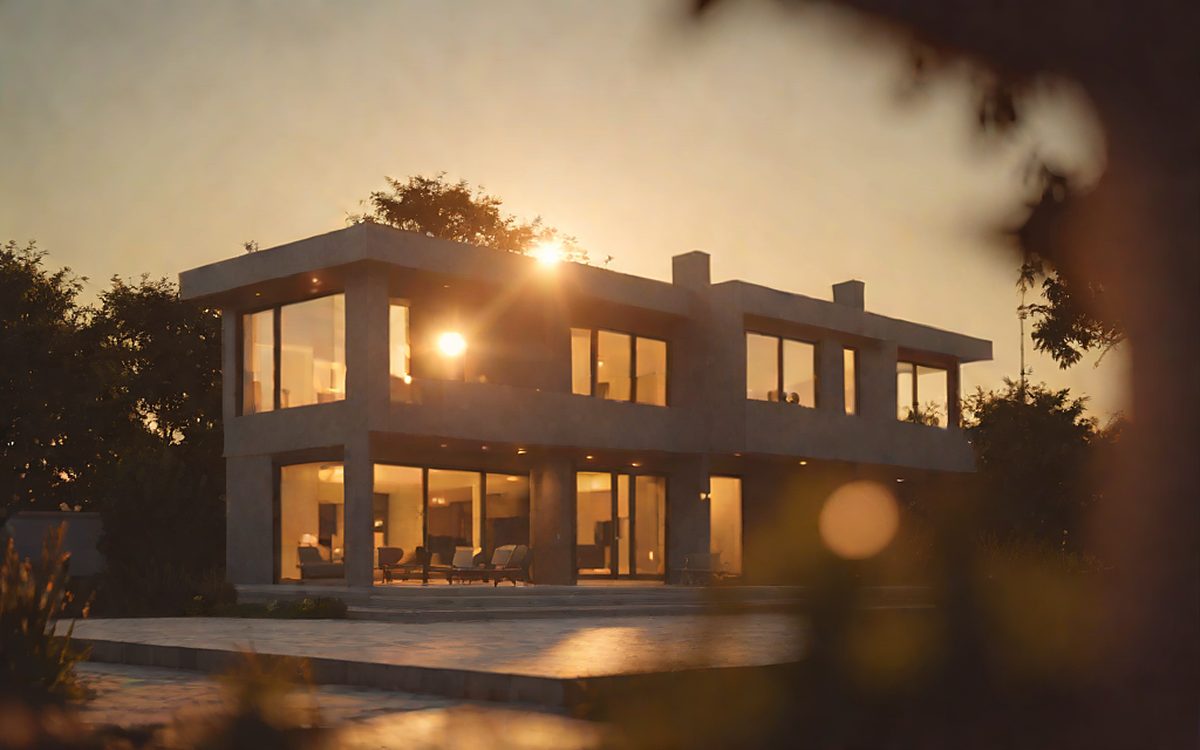
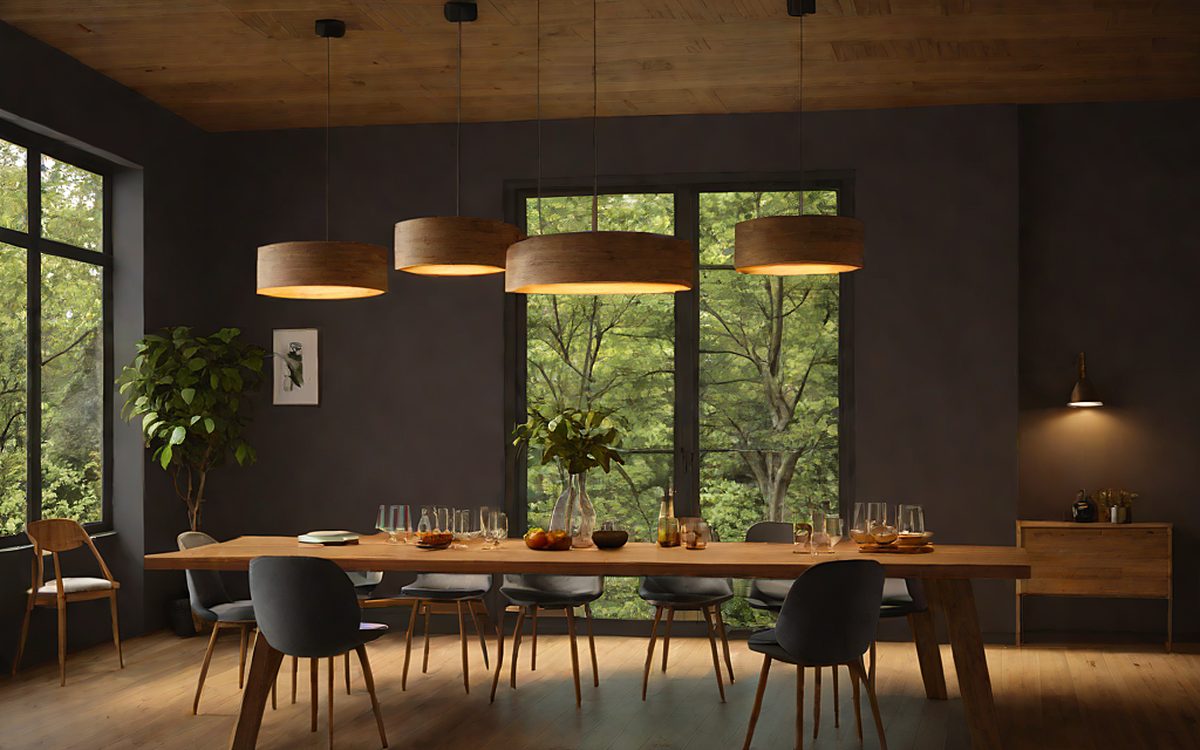
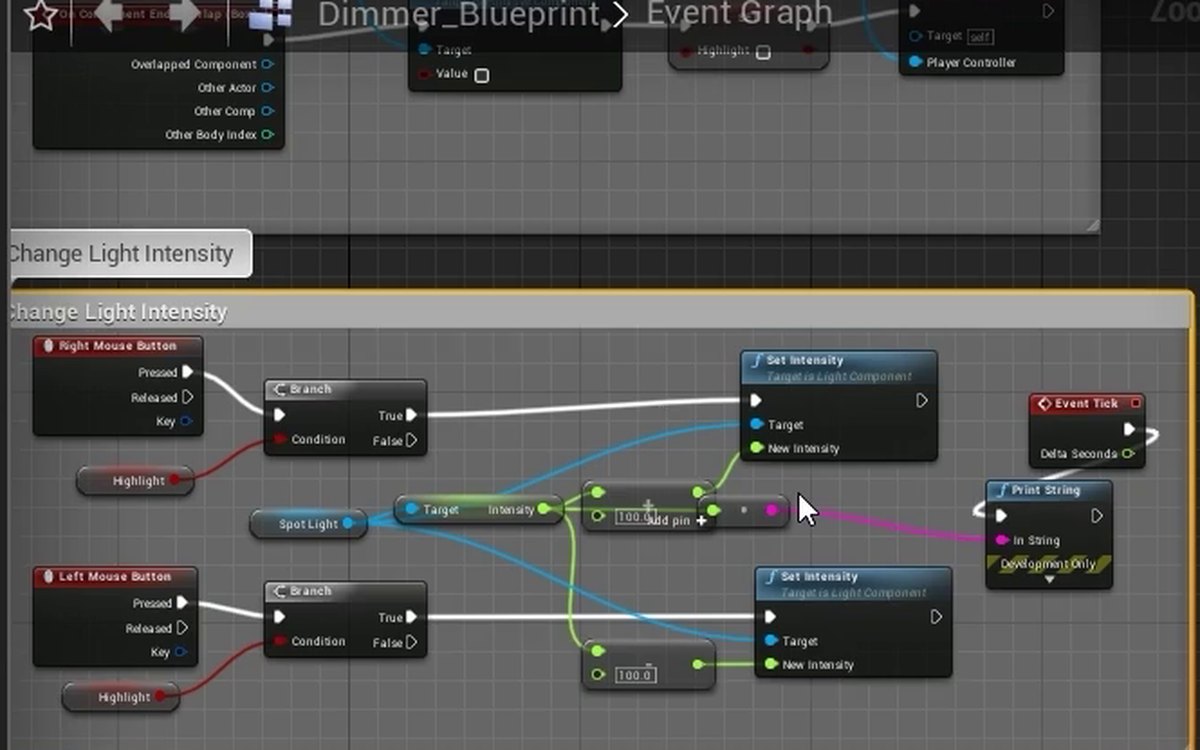
Real systems from the course, built step by step in the Blueprint editor. Hover a card to see its Blueprint.


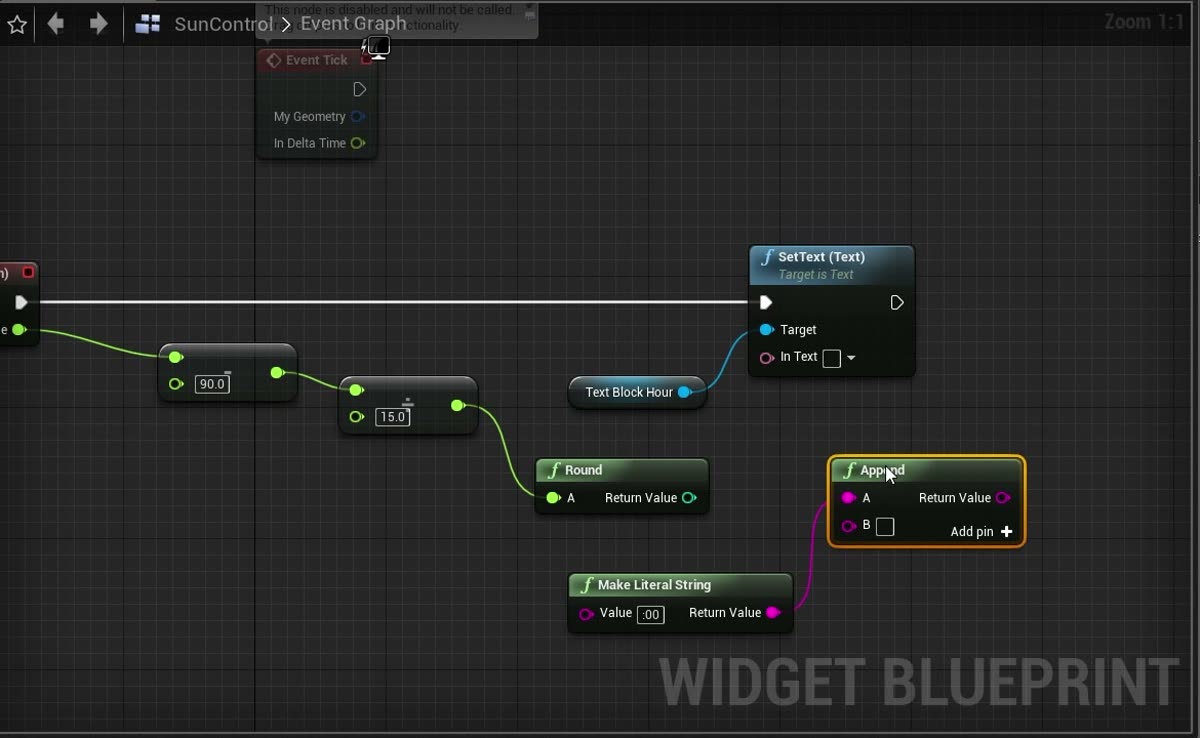

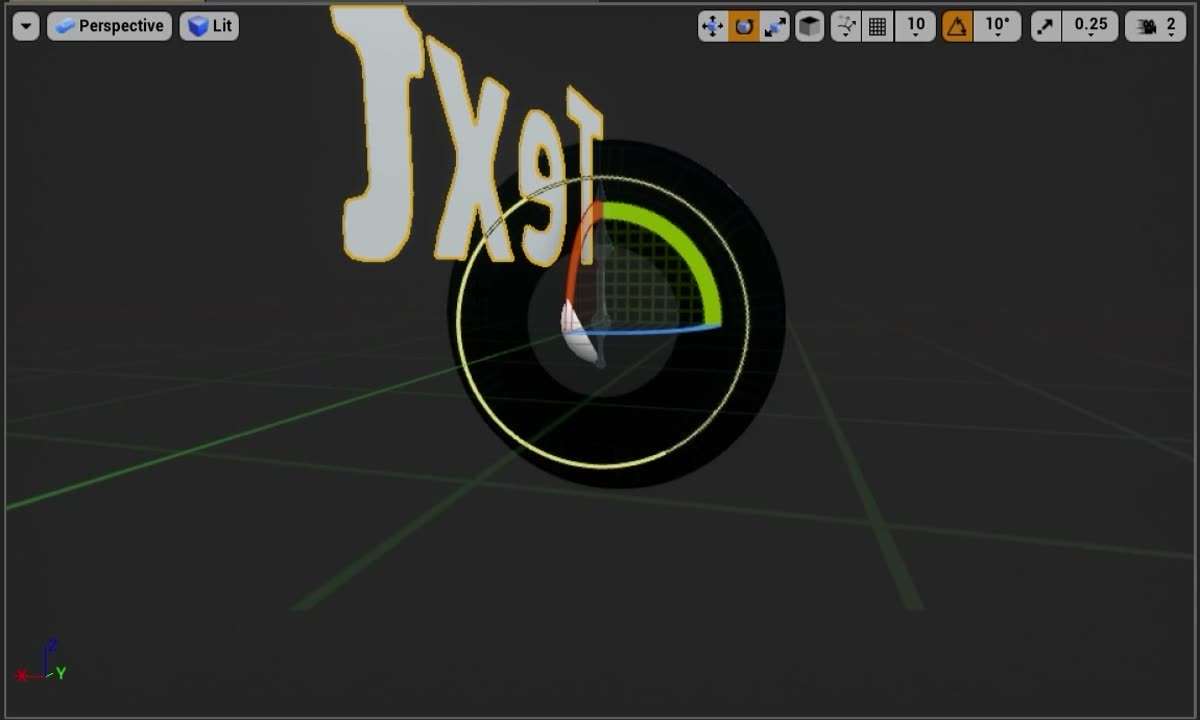
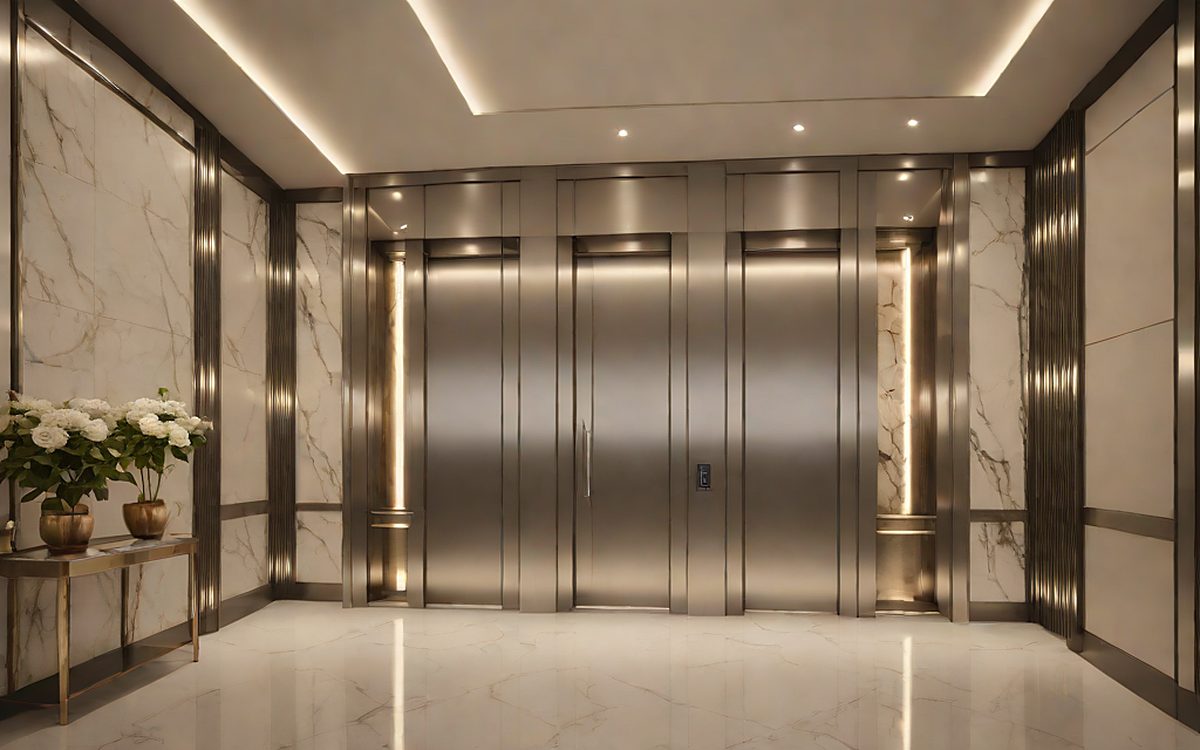
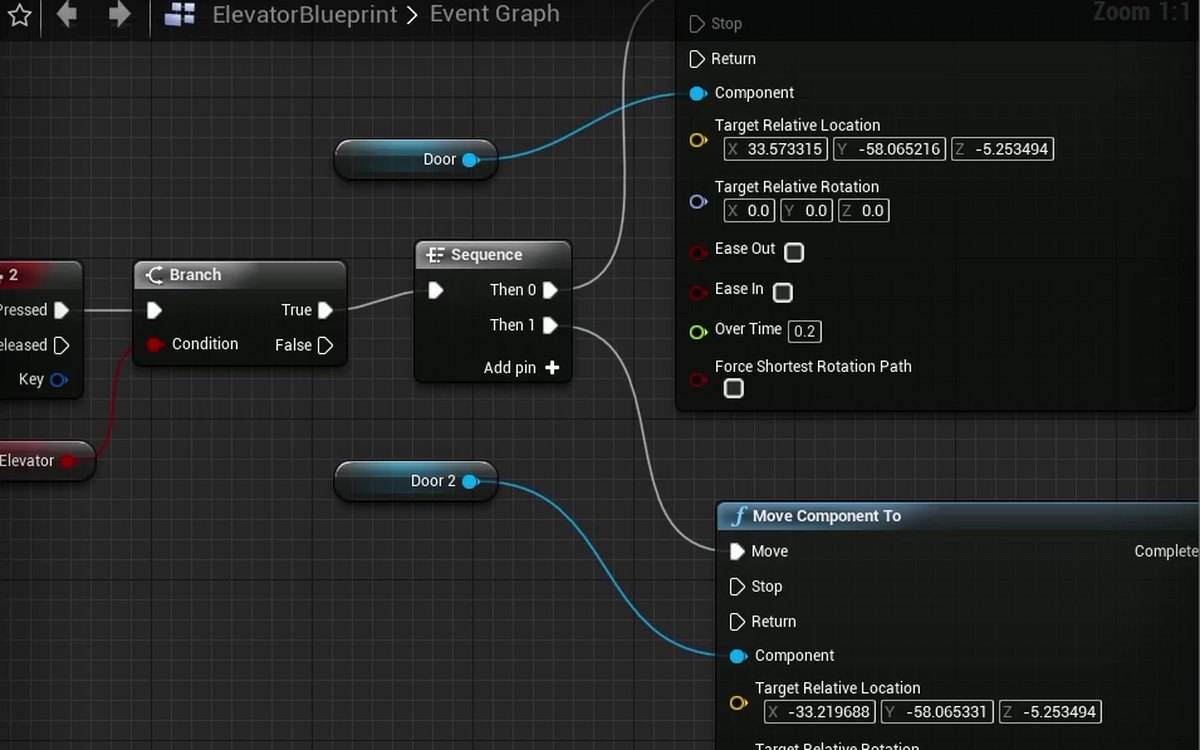
And much more
30+ interactions in the hands-on project, including:
- Doors & sliding doors
- Main menu
- Level streaming
- Minimap
- Drone & camera modes
- Third person
- Save & load
- Color picker
- Video on a TV
- Ambient audio & footsteps
- Destructible mesh
- Edit mode
The 3D scenes are illustrative examples. Archviz scenes and 3D models are not included in the course — it teaches the Blueprints, which you apply to your own scenes.
04 · Curriculum
What you will learn
-
Editor and Blueprint Fundamentals
First steps: what Unreal Engine is, what Blueprints are, the editor, execution order, helpers and node types.
- Introduction
- What is Unreal Engine?
- What are Blueprints?
- What to Expect from the Course
- Getting to Know the Unreal Engine Editor
- Understanding the Blueprint System
- Execution Order
- Using Helpers
- Node Types
-
Variables and Data Types
Integer, Boolean, Float, Text, Object, Struct, Vector, Rotator and Transform; Get/Set, properties and operators.
- Variables
- Integer (Whole Number)
- Boolean
- Float (Decimal Number)
- Text Variables (String/Text)
- Object
- Struct (Structure Variable)
- Vector
- Rotator
- Transform
- Get and Set
- Variable Properties
- Mathematical Operators
- Strings
-
Arrays
Creating and handling arrays: Get, Find, Length, Last Index, Is Valid Index, Contains, Insert, Remove, Clear and Append.
- Arrays
- Array: Get (a Copy)
- Array: Find
- Array: Length
- Array: Last Index
- Array: Is Valid Index
- Array: Contains
- Array: Insert
- Array: Remove
- Array: Clear
- Array: Append
-
Flow Control
Switch, Branch, Do N, Do Once, Flip Flop, For Loop (with Break), Gate, Multi Gate, Sequence and While Loop.
- Flow Control (Introduction)
- Flow Control: Switch
- Flow Control: Branch
- Flow Control: The N Node
- Flow Control: Do Once
- Flow Control: Flip Flop
- Flow Control: For Loop
- Flow Control: For Loop With Break
- Flow Control: Gate
- Flow Control: Multi Gate
- Flow Control: Sequence
- Flow Control: While Loop
-
Functions, Events, Macros and Enums
Reusable logic: collapsed nodes, events, functions, macros, macro libraries and enums.
- Collapsed Nodes
- Events (Part 1)
- Functions
- Macros
- Macro Library
- Enums
-
Blueprint Classes and Actors
Actor, Game Mode, Character and Player Controller; moving, spawning and destroying actors; Is Valid; Get All Actors of Class.
- Blueprint Classes
- Actor Blueprint
- Game Mode
- Character
- Player Controller
- Actor Transformation (Part 1)
- Spawn and Destroy
- Is Valid
- Get All Actors of Class
-
Blueprint Communication
How one Blueprint talks to another: direct references, casting, Blueprint Interfaces and Event Dispatchers.
- Blueprint Communication (Introduction)
- Direct Communication
- Casting (Theory)
- Casting (Practical Example)
- Blueprint Interface (Introduction)
- Blueprint Interface (Exercise)
- Event Dispatcher
-
Time Control
FPS, Delta Time and Tick; Delay; Timelines with custom curves; Timers.
- FPS, Delta Time and Tick
- Time Control (Part 1)
- Delay
- Timeline
- Timeline: Custom Curve
- Timeline: Communication
- Timer
-
Vectors and Rotation
Spatial math for interaction: vector length, distances, normalized vectors, forward/right/up vectors, Rotate Vector, Find Look at Rotation, pitch/yaw/roll.
- Controlling Space (Introduction to Vectors)
- Vector Length
- Get Distance To
- Normalized Vector
- Forward Vector
- Right Vector
- Up Vector
- Rotate Vector
- Rotation from X Vector
- Find Look at Rotation
- Pitch, Yaw and Roll
-
Materials
Materials at runtime: material instances, highlights, swapping materials and colors, and other material parameters.
- Controlling Materials (Introduction)
- Material Instance
- Material Highlight
- Swapping Materials
- Changing the Color
- Modifying Other Material Parameters
-
UI and HUD
Interfaces with Widgets: input mode and focus, programming and styling the UI, text input, first-person character.
- User Interface and HUD (Introduction)
- Creating the Interface (Widget)
- Set Input Mode
- Set Focus
- Programming the UI
- Customizing the UI
- Creating Interfaces
- Text Input
- First Person Character
-
Hands-on Project: Interactive Architecture
Everything applied to an architectural visualization: doors, lights, exterior camera, menus, level loading and streaming, movable objects, audio, clock, minimap, camera modes, elevator, third person, save/load and more.
- Swapping Furniture
- Opening Door
- Opening Sliding Door
- Turning on the Lights
- Light Dimmer
- Exterior Visualization
- External Camera Switching
- Main Menu
- Load Level
- Level Streaming
- Movable Objects
- Aim
- Media Texture
- Audio (Part 1)
- Audio (Part 2)
- Functional Clock
- Destructible Mesh
- MiniMap
- Top-Down Navigation Blueprint
- Camera Mode
- Drone Mode
- Toggle Particles
- Changing the Sun's Position
- Elevator
- Third Person
- Edit Mode
- Color Picker
- Save and Load
05 · Instructor
Your instructor

- 15+years in interactive technology
- 5,000+customers served by UE4Arch
- 2×Epic Games grant recipient
- 1.5M+views on the Loft project
Daniel Falci
Unreal Engine Technical Artist & Tech Lead · Belo Horizonte, Brazil
Daniel Falci is an Unreal Engine technical artist and tech lead with more than 15 years in interactive technology, building real-time architectural experiences since the early days of Unreal Engine 4.
He co-founded UE4Arch, a studio specialized in interactive virtual scenarios, where he owned the Blueprints, UI and systems layer together with project management and pipelines. UE4Arch delivered projects for Amazon, Autodesk and Epic Games, served more than 5,000 customers worldwide and received two Epic Games grants (MegaGrant 2021 and Unreal Dev Grant 2016). Its “Loft” project was one of the first interactive real-time archviz scenes and passed 1.5 million views on YouTube.
Today he works as one of the tech leads at ResVR, a Canadian company whose cloud platform replaces static plans with interactive 3D showhomes: homebuyers across North America explore floor plans, finishes and upgrades in real time, and builders report around 28% more upgrade revenue.
This course collects the Blueprint techniques he uses in practice — from the first node to a complete interactive project.
06 · Enroll
Full course access
Everything you need to turn static scenes into interactive experiences.
One payment · no subscription
US$ 79
- 129 lessons and 21.5 h of video, from the first node to a full project
- 30+ hands-on interactions you can reuse in client projects
- A complete interactive archviz project: doors, lights, menus, cameras, elevator, save and load
- Portuguese audio, an AI-dubbed English track, and English and Spanish subtitles
- Questions in the comments of every lesson, answered by the instructor
- Certificate of completion
- Future updates included · access while the course is published (1 year minimum)
Secure checkout by Paddle · sales tax calculated for your country
07 · Questions
Frequently asked questions
What are Unreal Engine Blueprints?
Blueprints are Unreal Engine's visual scripting system: instead of typing code, you connect nodes in a graph to define how objects behave. Every interaction in this course (doors, lights, menus, cameras) is built with Blueprints, without C++.
Do I need to know programming?
No. The course starts from the editor and Blueprint basics. Blueprints are visual scripting: no C++.
Are archviz scenes or 3D models included?
No. The course teaches Unreal Engine Blueprints; the 3D scenes shown on this page are illustrative examples. You learn each interaction step by step and apply it to your own scenes and projects.
Is the course only for architecture?
No. The examples come from architectural visualization, but the same Blueprints drive product configurators, virtual production, training simulations, digital twins and games.
What do I need?
A computer that runs Unreal Engine 4 or 5 (check Epic Games' hardware requirements for the version you use) and the free Unreal Engine editor. No programming experience is required.
Which version of Unreal Engine is used?
Most lessons were recorded in Unreal Engine 4. The Blueprint nodes and concepts are the same in Unreal Engine 4/5; only parts of the editor look different.
Is the course in English?
The original audio is in Portuguese. You can switch to an AI-dubbed English audio track and turn on English or Spanish subtitles at any time.
How long do I have access?
As long as the course is published, with a guaranteed minimum of 1 year from your purchase.
Do I get a certificate?
Yes. When you finish every lesson you receive a certificate of completion with a public verification link.
How does payment work?
Payment is processed by Paddle, our online reseller and Merchant of Record. Paddle calculates any sales tax for your country and sends your receipt.
Can I watch a lesson before buying?
Yes. One lesson is free for everyone: use the “Watch a free lesson” button at the top of the page to see the teaching style and the video player before you buy.
What if I don't like it?
Ask for a refund within 14 days of your purchase and you get your money back in full.